 EzyTimer
Keep every speaker on time, even when the room misbehaves.
EzyTimer keeps speakers, confidence screens, overlays, and remote calls in sync when the controller crashes, Wi-Fi drops, or the MC runs long.
Test every feature with no card and no cloud account. The installer is currently unsigned, so Windows may show an Unknown publisher warning.
Built for the worst day
Everything fails eventually.
The timer shouldn't.
Every EzyTimer feature started as a war story from a real event. It's engineered so no single failure, whether hardware, network, or human, takes your show down.
- Failover watchdogNobody sees a blank screen
- If the operator laptop crashes mid-countdown, the built-in server keeps every screen counting and rolls the show forward. Reopen the controller and it hands back, with no rollback.
- Offline firstRuns without the cloud
- Runs entirely on your laptop and your room's network, or the laptop's own hotspot when the venue Wi-Fi is hostile. Nothing to sign into, nothing to lose signal to.
- Undo everythingMis-taps are reversible
- Deleted the wrong speaker? Hit Next by mistake? A 10-second undo toast and a full undo stack reverse it. Lock the schedule mid-show so nothing can touch it.
- Autosave to diskRecovery in two layers
- A rolling event file lands next to the app every minute, plus crash-recovery snapshots. A pre-show "Show Ready" check verifies power, network, sound, and camera before doors.
One laptop runs the whole room.
Everything on one screen
Speaker lineup with drag-to-reorder, live drag-to-adjust time, schedule-drift tracking ("running 2:40 behind"), speaker messages, holding screen, blackout and flash cues, behind a clean, icon-driven console. A six-digit PIN protects every remote connection.

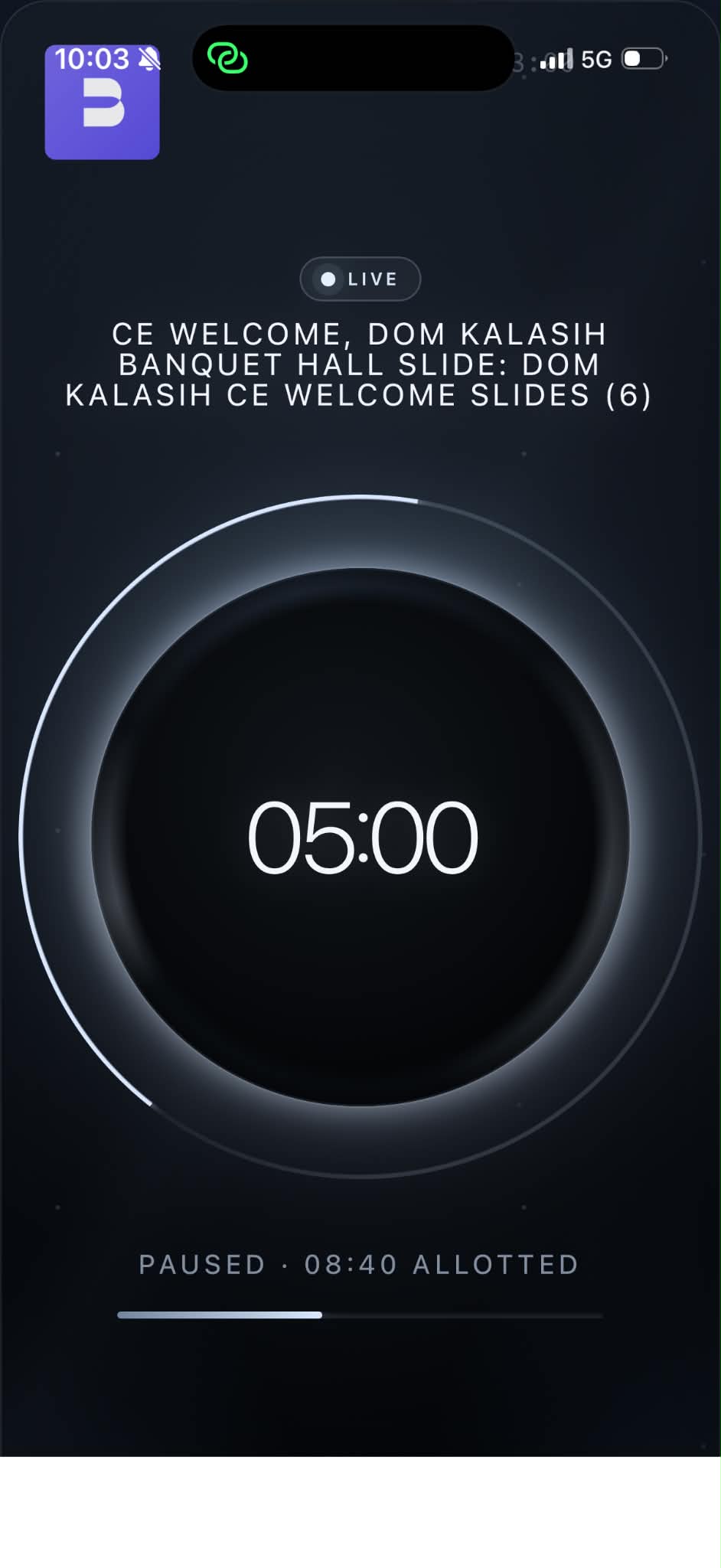
The iPad is whatever you need
Scan a QR code and the iPad becomes a remote control, a clean audience timer, a confidence monitor, or the entire console with one switch on the laptop. It installs to the home screen like an app, with no app store required.


A timer the audience can read from the back row.
Big, calm, and unmissable in a light room or a dark one. Clean by default; fourteen themes and a colour-builder are there when a show wants a look, but the countdown always stays legible.

Made for AV people.
- Stream Deck / CompanionStart, pause, next, blackout, flash, time-of-day, one HTTP action per button, recipes included.
- Zoom & Teams"EzyTimer Camera" appears as a webcam, feeding the live timer to remote speakers.
- Runsheet importBring schedules in from CSV, PDF, or Word; export a post-event drift report your client will love.
- Four timer modesCountdown, count-up, finish-at-a-clock-time, and time-of-day, set per speaker.
Buy it once. Run every show.
NZ$119 buys an unlimited-duration EzyTimer license for one Windows 11 operator machine. There is no subscription, renewal, or per-event fee.
- Unlimited-duration license key for one Windows machine
- Everything included: failover, iPad remote, presenter overlay, virtual camera, themes, and the theme builder
- 14-day full-feature trial with no card required
- Activate once online, then run live events offline
- Free updates within this major version
Secure checkout and license delivery are handled by Lemon Squeezy. Local taxes may be added where required.
Clear answers before show day.
How do I get the installer?
Download the 14-day trial directly or purchase through Lemon Squeezy. Install it on your real show laptop and run Show Ready before your event. Windows may show an Unknown publisher warning while the installer remains unsigned.
Is it subscription software?
No. EzyTimer is NZ$119 once for an unlimited-duration, one-machine license. The 14-day trial lets you test the complete workflow before buying.
Does it need internet at the event?
No. Activation requires an internet connection, then EzyTimer is designed to run locally on the show laptop and room network.
Can it feed Zoom or Teams?
Yes. EzyTimer includes a Windows virtual camera so the live timer can appear as a camera source in remote meetings.
Try it on the rig. Buy it for the show.
Run every feature on your real Windows 11 show laptop for 14 days. When it fits your workflow, buy the NZ$119 one-machine license and activate with the key from Lemon Squeezy.
Installer: EzyTimer-Setup-1.9.3.exe
SHA256: 90EF4F302A88E38F2BD1573042D33BE50C2637EA3A636014774F35A42B28E06B
Read the Windows 11 install guide →
Open the dedicated download page →
Check system requirements →
View release notes →